


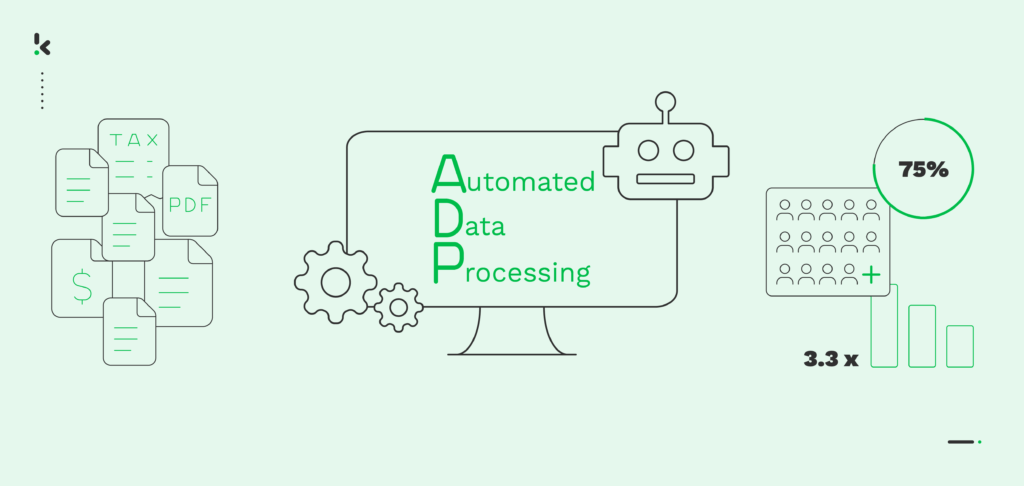
Are you overwhelmed by the sheer amount of unstructured data accumulating from various sources such as faxes, mails, emails, texts, and images? It’s crucial to organize this data efficiently to ensure the key information reaches the right people for strategic decision-making, which, unfortunately, is often not the case.
Now, envision a solution that addresses these issues while also enhancing your data processing capabilities in terms of speed, accuracy, and security. This solution comes in the form of Automated Data Processing (ADP), this is a system tailored to streamline data management workflows.
Continue reading to learn more about ADP and how it can be integrated into your business operations.
Key Takeaways
- Automated Data Processing (ADP) stands for using technology, AI, and software to transform raw data into structured, actionable outputs.
- ADP software reduces human error, increases speed, and improves decision‑making across multiple industries.
- Data processing automation includes stages such as collection, cleaning, integration, analysis, and output generation.
- Automated data processing systems handle large data volumes and scale without proportional increases in staff or infrastructure.
- Key benefits include faster decisions, lower operating costs, improved accuracy, enhanced security, and regulatory compliance.
What is Automated Data Processing?
Automated Data Processing refers to the use of AI, machine learning, and advanced software systems to carry out data collection, organization, transformation, and analysis without the need for extensive manual intervention. An automated data processing system handles incoming information from multiple sources, converts it into a usable format, and delivers insights or outputs that can be acted upon instantly.
An ADP software platform replaces repetitive human tasks with workflows that run on algorithms, cloud services, and secure integrations. By automating these processes, organizations can reduce delays, improve accuracy, and gain real‑time visibility into operational metrics.
Core technologies in automated data processing:
- Artificial Intelligence (AI): powers decision rules, anomaly detection, and natural language understanding
- Machine Learning (ML): enables systems to improve analyses over time based on new data
- Cloud Computing: scales resources to process large volumes of data without local infrastructure limits
- Optical Character Recognition (OCR): transforms scanned documents and images into machine‑readable text
- Natural Language Processing (NLP): interprets and structures unstructured text such as emails or reports
- Database Management Systems (DBMS): securely store and retrieve structured datasets
- Secure APIs: collect and send data between internal systems, web platforms, and external providers
An automated data processing system works by linking these technologies in a connected workflow. Data enters the system from sources such as business applications, sensors, scanned files, or digital communications. The software then cleans and formats the data, stores it in a secure repository, runs analyses, and delivers outputs ranging from statistical reports to real‑time alerts.
Why Businesses Need Automated Data Processing
Modern organizations produce and receive enormous amounts of data every day from sources such as customer transactions, communications, sensors, and internal operations. Without automation, managing this information is slow, error‑prone, and resource‑intensive.
Data processing automation is the answer to these challenges. Automated data processing systems replace manual steps in data handling with faster, rule‑driven, and AI‑assisted workflows. This shift is essential when:
- Manual data entry consumes valuable time and limits employees’ ability to focus on higher‑value tasks.
- Data silos block visibility and reduce collaboration between departments.
- Human errors cause costly compliance and reporting issues in regulated industries.
- Market conditions change quickly and require near real‑time insight to respond effectively.
By adopting an automated processing approach, businesses position themselves to be more agile. An ADP software platform can ingest, process, and output critical information in minutes rather than hours. This enables faster reaction to trends, improved customer experiences, and stronger competitive positioning.
Automated data processing is not just a technological upgrade. It is a fundamental change in how decisions are made, how resources are allocated, and how an organization maintains accuracy and security over its information assets.
Stages of Automated Data Processing
An automated data processing system follows a series of defined stages to turn raw information into structured, actionable results. Each stage uses specialized technologies within ADP software to ensure speed, accuracy, and compliance.
1. Data Collection: Data is gathered from multiple sources such as documents, emails, sensors, business applications, APIs, and transactional records. This stage ensures that structured and unstructured information is captured for processing.
2. Data Cleaning: Errors, duplicates, and incomplete entries are removed. Formatting is standardized so all datasets follow the same structure, which improves quality and reliability for later analysis.
3. Data Integration: Information from separate sources is merged into a unified dataset. This eliminates silos and allows for a consolidated view of business operations.
4. Data Analysis: Machine learning algorithms and statistical models are applied to identify trends, detect anomalies, and generate insights. Analysis may be real‑time or batch‑based depending on business requirements.
5. Output Generation: Processed data is delivered as reports, dashboards, or exports in formats such as CSV, JSON, PDF, or TXT. These outputs can be sent directly to other automated data processing systems or integrated into existing business tools like CRM, ERP, or accounting software.
Benefits of ADP for Businesses
Automated Data Processing software delivers measurable improvements in efficiency, accuracy, and scalability. By replacing manual data workflows with an automated data processing system, organizations can expect benefits that impact operations, customer satisfaction, and profitability.
Key benefits of automated data processing:
- Faster decisions: real‑time data outputs give managers and teams immediate insight into KPI changes and operational trends.
- Cost reduction: lowers labor requirements for repetitive tasks and reduces expenses linked to data errors.
- Improved accuracy: automation removes the human errors common in manual data entry, producing more reliable datasets.
- Enhanced security: integrated encryption, role‑based access, and audit trails protect sensitive information.
- Scalability: handles increasing data volumes without requiring proportional staff increases or infrastructure investments.
- Better customer service: automates order tracking, information retrieval, and response workflows, leading to faster and more personalized communication.
- Regulatory compliance: automated processing ensures consistent record‑keeping that meets industry and legal standards.
Industry Applications of Automated Data Processing
Automated data processing systems are used across many sectors to accelerate workflows, improve data integrity, and support strategic decision‑making. Data process automation adapts to the requirements of each industry with tailored input sources, analysis methods, and output formats.
Finance
Banks and financial service providers use ADP software for transaction reconciliation, fraud detection, and compliance reporting. Automated processing identifies suspicious patterns in real‑time, enabling immediate action on fraudulent transactions. It also automates monthly financial statement generation, saving hours of manual work.
Healthcare
Hospitals and clinics implement automated data processing systems to manage patient records, process medical imaging data, and track treatment outcomes. Clean, structured datasets allow healthcare professionals to act on accurate information, improve patient safety, and comply with privacy regulations such as HIPAA and GDPR.
Retail
Data process automation in retail supports inventory management, order tracking, and customer behavior analysis. For instance, point‑of‑sale systems feed data into an automated processing workflow that triggers reorder alerts, updates stock levels, and creates custom marketing campaigns based on purchase history.
Manufacturing
Factories adopt ADP software to streamline quality control, production scheduling, and supply chain logistics. Machine sensor data can be processed in real‑time to detect equipment issues, reduce downtime, and optimize material ordering.
Strategies for Data Processing Automation
Implementing ADP involves various strategies, each suited to different business needs like, efficiently managing large amounts of data through batch processing to ensure real-time responsiveness for time-critical operations.
ADP offers customized solutions for different use cases, such as:
- Batch Processing: Handling data in batches at scheduled times is ideal for non-time-sensitive tasks like automating end-of-month financial reporting to handle large transaction volumes.
- Real-time Processing: Processing data as soon as it is available is crucial for time-critical operations. For example, it’s necessary for online banking systems, so suspicious transactions or fraudulent documents can be immediately flagged.
- Distributed Data Processing (DDP): Distributing data processing tasks across multiple computers lowers costs and minimizes the risk of a single point of failure. This strategy can be used to analyze customer data from various Points of Sale (POS) for personalized marketing campaigns.
- Multiprocessing: When multiple processors work on the same dataset, processing times are significantly faster. For instance, this approach can be applied in order management systems to reduce waiting time and increase customer satisfaction.
- Time-sharing: Enabling simultaneous user access within a shared computing system enhances overall productivity. It empowers business professionals to view and analyze relevant data at the same time, facilitating rapid decision-making.
Automated data processing is proving to be versatile in various industries and use cases. Are you ready to take the next step? Discover how you can implement Automated Data Processing
Implementation Guide of ADP Software
Deploying an automated data processing software involves connecting data sources, defining workflows, and ensuring secure integration with existing business tools. The process can be completed in a few structured steps.
Step 1: Identify repetitive data tasks
List manual processes that consume time and are prone to human error, such as data entry, reconciliation, or document classification.
Step 2: Select ADP software that fits your needs
Choose a platform that supports your input types, has integration capabilities with your current systems, and includes built‑in compliance features.
Step 3: Connect data sources
Integrate APIs, cloud storage, email inboxes, sensors, or business applications to feed raw data into one centralized automated data processing system.
Step 4: Configure workflows and validation
Set rules for cleaning, transforming, analyzing, and outputting data. Include validation steps to prevent inaccurate or incomplete records from entering decision‑making processes.
Step 5: Deliver and monitor outputs
Output results to dashboards, reports, or exports into CRM, ERP, or accounting software. Monitor performance and adjust workflows to optimize speed and accuracy.
Automated Data Processing with Doxis AI.dp
Doxis AI.dp is an ADP software solution specializing in the automation of document and image data workflows. It applies the core principles of automated data processing by combining artificial intelligence, OCR, and secure integrations to collect, transform, validate, and deliver data without manual intervention. This makes it ideal for organizations that rely on accurate document capture, such as invoices, contracts, identification documents, or compliance forms.
As part of a complete automated data processing system, Doxis AI.dp supports the full data lifecycle, from ingestion through connected sources like cloud storage, email, APIs, or ERP systems, to output in structured formats such as CSV, JSON, or PDF. Its Intelligent Document Processing (IDP) capabilities enhance efficiency, ensure accuracy, and maintain strict compliance with GDPR and ISO data handling standards.
Key performance improvements with Doxis AI.dp:
- Document processing speed up to 70 percent faster than manual entry workflows
- Accuracy rates exceeding 99 percent for text recognition and data extraction
- Scalability from thousands to millions of documents per month without added staff or infrastructure costs
- Real‑time validation that flags fraudulent, incomplete, or mismatched data immediately
- Seamless integration with existing CRM, ERP, and accounting systems via API endpoints
- Automated compliance support with built‑in anonymization and audit trails for privacy regulations
To discover how Doxis AI.dp can streamline your data processing and deliver measurable ROI, contact one of our experts today or book a free demo for a hands‑on overview of the platform.
FAQ
Automated data processing is the use of software systems and algorithms to transform raw information from sources such as documents, sensors, and APIs into structured, actionable outputs at speed and scale.
2. What is automated data processing software?
Automated data processing software is a platform that connects data inputs, applies cleaning and analysis rules, and delivers results such as reports, alerts, or exports without manual handling.
3. What does ADP stand for?
ADP stands for Automated Data Processing, which means using technology, software, and artificial intelligence to collect, clean, integrate, analyze, and store data with minimal human input.
4. How does an automated data processing system work?
An automated data processing system gathers data from multiple sources, removes errors, integrates datasets, analyzes results, and outputs information to business applications or dashboards.
5. What are the benefits of automated data processing?
The main benefits are faster decisions, lower costs, improved accuracy, enhanced security, scalability, better customer service, and compliance with industry regulations.
6. How is data processing automation different from manual processing?
Data processing automation uses AI, machine learning, and integrated workflows to run without human intervention, while manual processing relies on people to enter and analyze data, making it slower and more error‑prone.
7. What is Intelligent Document Processing (IDP) and how does it relate to ADP?
Intelligent Document Processing is a specialized form of ADP that focuses on extracting and validating data from documents and images using OCR, natural language processing, and AI models.
8. Is automated data processing secure?
Yes, modern ADP systems use encryption, access controls, audit logs, and anonymization to protect sensitive data and comply with standards such as GDPR and ISO.